Video resources
We use videos to show you how to get the most out of your 5 Star Marketing Software system
Your first step is to add the Lead Connector app to your phone. Watch the video then click on the link that matches your phone below. Do this now, it will only take a few minutes, then you can follow the directions below to make you first video.
Unmute the video to hear everything.
This video shows you how to create and save a Thanksgiving Day “thank you” video that we will send to all of your customers. Customers love it, and the video makes it super professional.
Make sure you unmute it.
Watch this video to learn the wording the works best when you this technology.
How to input clients into the web app
This video shows you how input the clients into our system and how that input automatically adds them to your database as well as kicks off the texting campaign specific to the type of client they are.
Below is a “cheat sheet”.
Cheat sheet for each of the 3 types of reach out
We have 3 different follow up programs all determined by how you "classify" the person you input
Service drive
When reaching out to people coming for a service you will not need anything but their name and phone number so we can text them and do follow ups
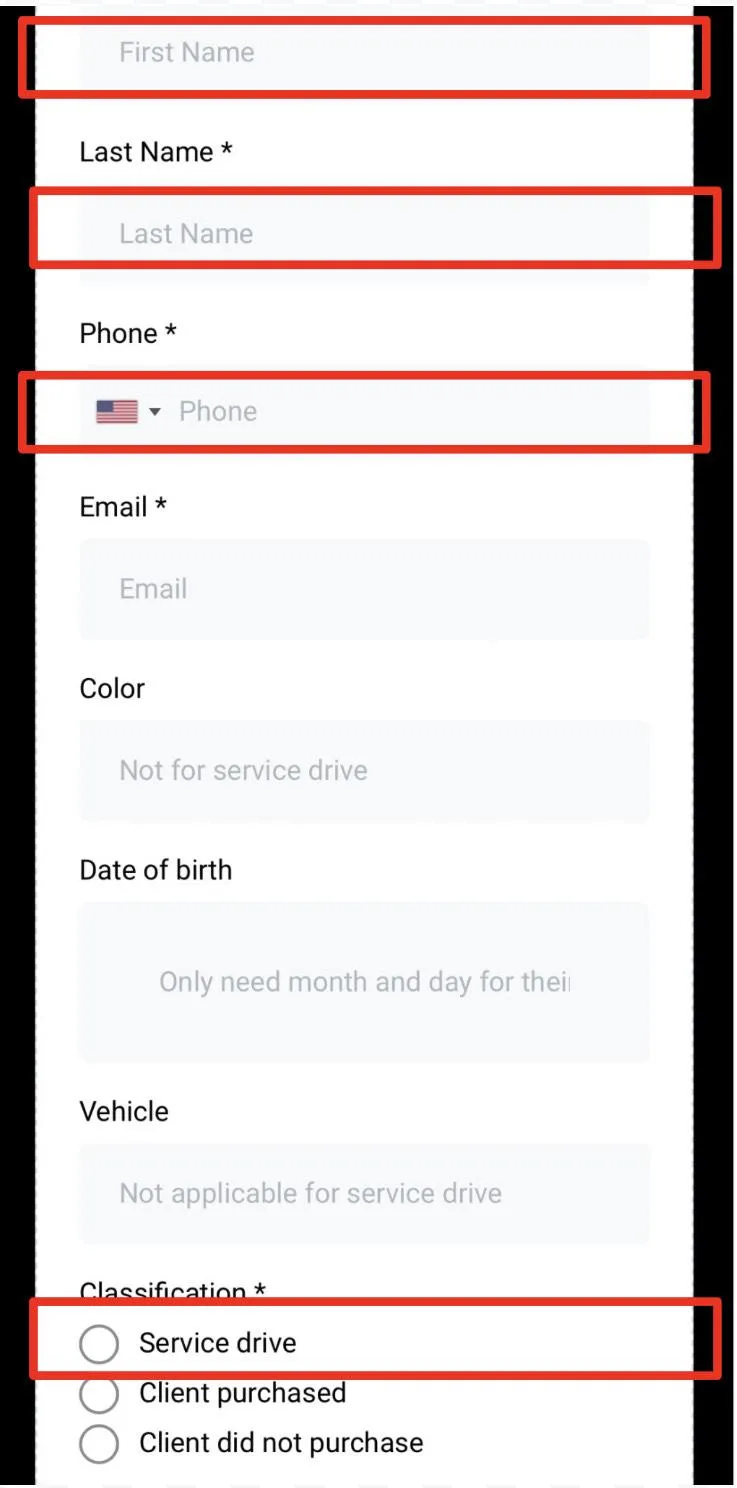
.
For those who become clients, you can update their information once they purchase.
Client purchased
For client's that purchased you will want to fill in all the fields. Keep in mind when selecting the birthday you do not need to select the year - it is just there so we can send them a happy birthday message every year.
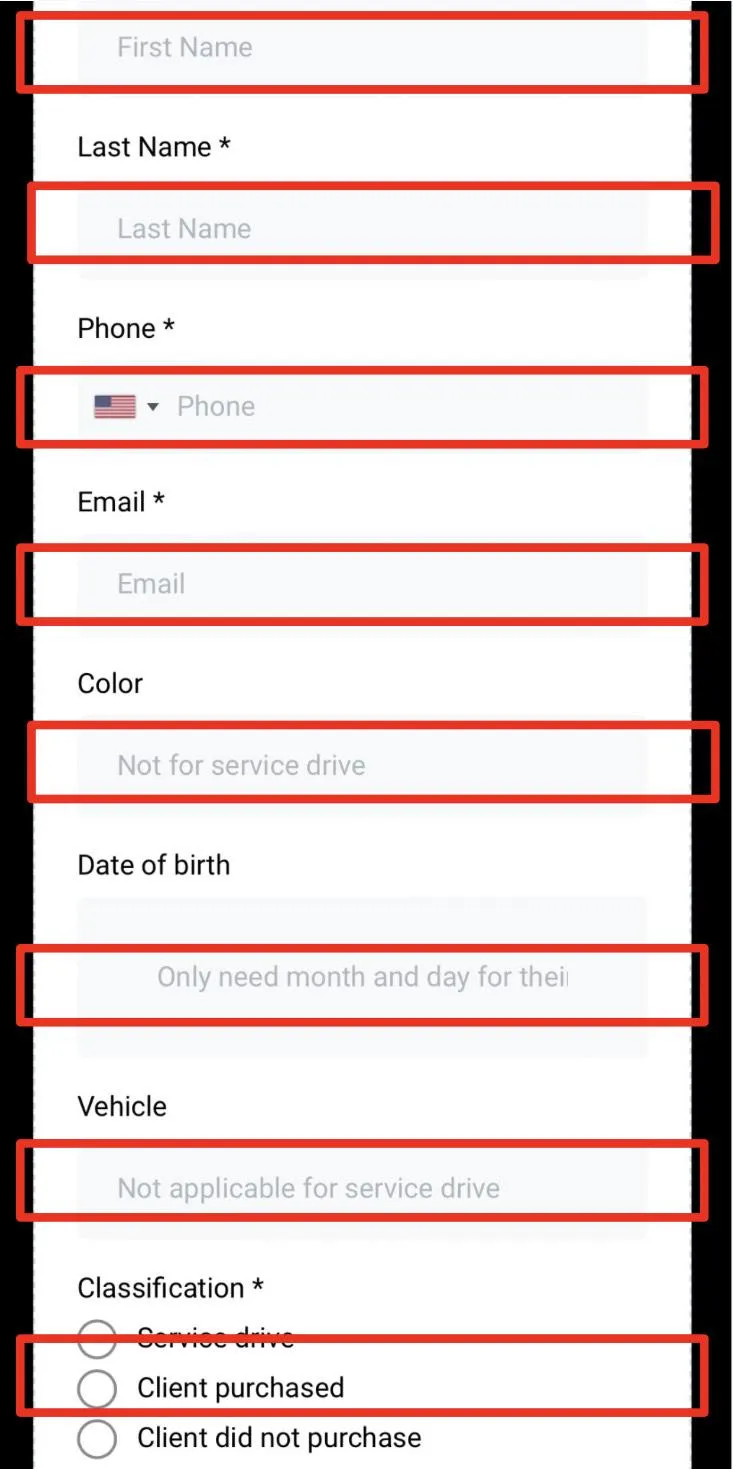
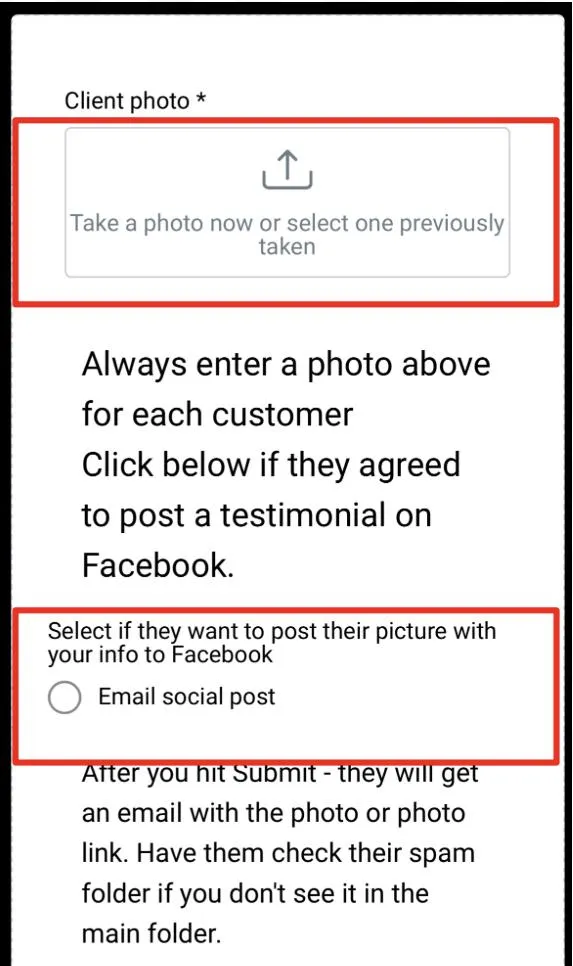
The second screen shown is only shown for customers. Always try to get a picture of them in-front of their new car. (we use that as an annual purchase reminder).
If they agreed to do a social post make sure you click the box to indicate that - again a picture needs to be included in a social post.
Client did not purchase
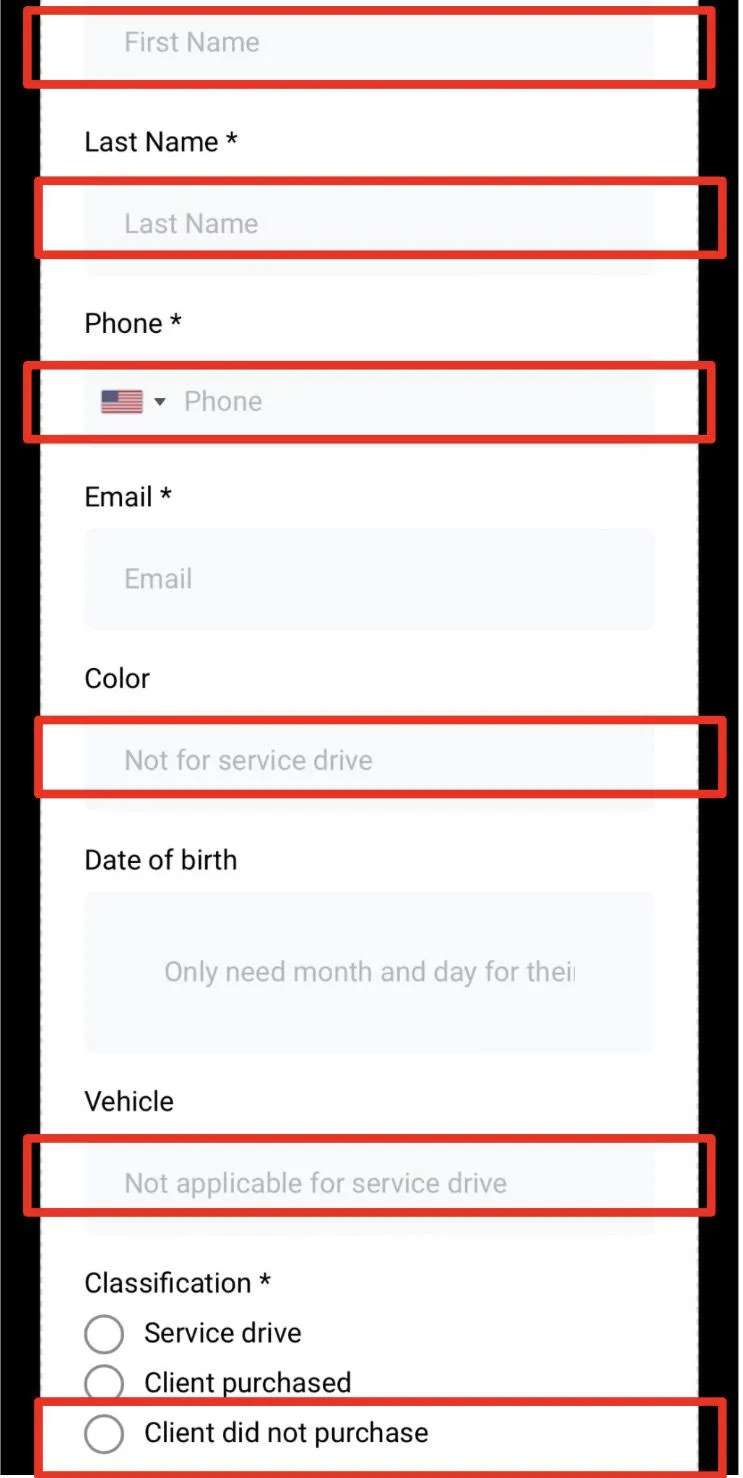
For leads we will be following up on we do not need their email or birthday, but if they have a specific color or car they are looking for fill in those fields so we can personalize the out reach and make it look as if it came from you.
Make sure you add the web app to your phone to input leads and clients
WARNING: DO NOT BEGIN TO USE THE SYSTEM UNTIL
WE CONFIRM EVERYTHING IS SET UP
For Iphone
Adding saving the web app on to your iPhone. You only need to do this once and it takes about 30 seconds. First step make sure you open the link for your web app on your iPhone.
Make sure you unmute the video.
You will only need to sign in once after you add the app to your phone - Your username is your email address, and the password is your last name and the last 4 numbers of your cell phone.
For Android
Adding saving the web app on to your Android. You only need to do this once and it takes about 30 seconds. First step make sure you open the link for your web app on your iPhone.
Make sure you unmute the video.
You will only need to sign in once after you add the app to your phone - Your username is your email address, and the password is your last name and the last 4 numbers of your cell phone.